
Free
Perfect for getting started with basic monitoring
$0forever
No card needed
Start free- 1 host
- 10 email alerts/month
- Basic alerts
- 2 days data retention
- Standard monitoring (10 minute updates)
One small agent for Windows, Linux, macOS, FreeBSD, OPNsense, Synology and Kubernetes. It reports how each machine is doing and what is running on it, and it keeps an eye on its security while it is there.
Agent 3.3.0 · about 16 MB of memory · signed, and it updates itself
The agent reports as soon as it starts, then on your plan’s interval. History is kept for as long as your plan keeps it, from 2 days on the free plan.
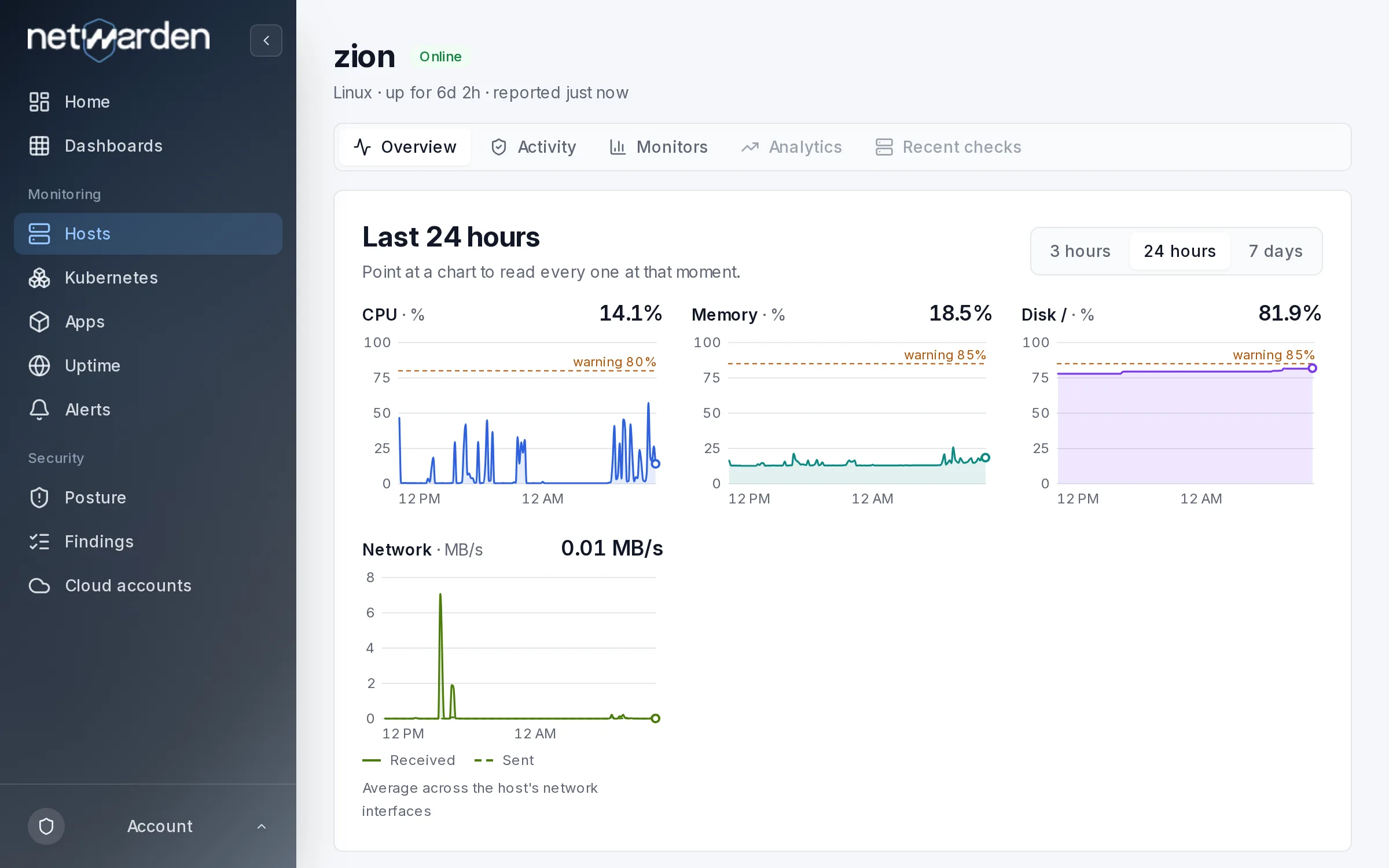
You do not tell the agent what runs on a machine. It looks, and reports what it finds.
Every container's state, CPU and memory, and the images they run.
Found through their local sockets when they run on the machine.
Virtual machines on a Linux hypervisor, through Proxmox or libvirt.
Gateways, CARP failover, the firewall log, firmware updates and the intrusion detection alerts.
A DSM 7 package with the same agent, updated through Package Center.
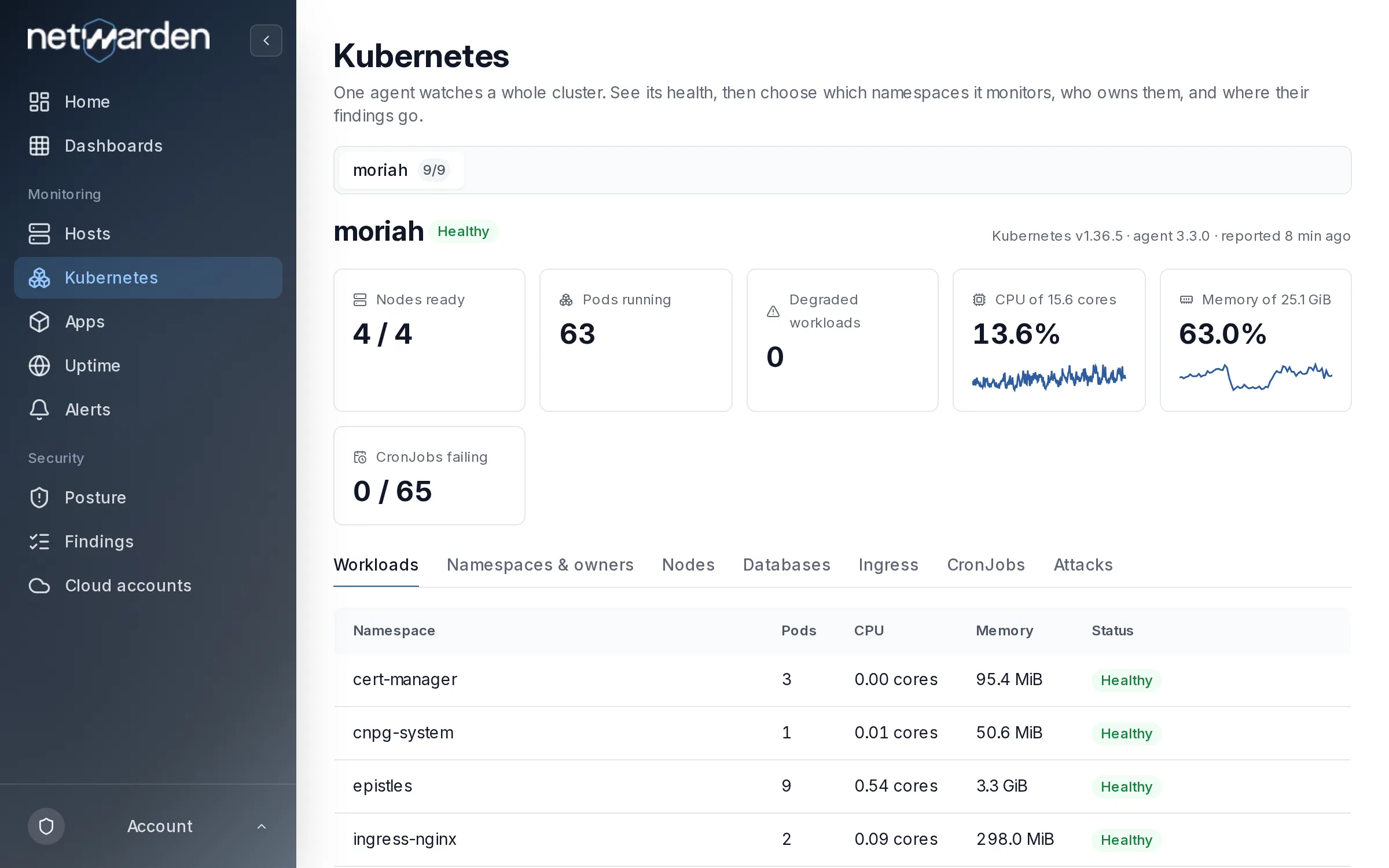
One agent for the whole cluster: nodes, workloads, jobs and service availability.
One kubectl apply and a single pod reports the whole cluster, every namespace.
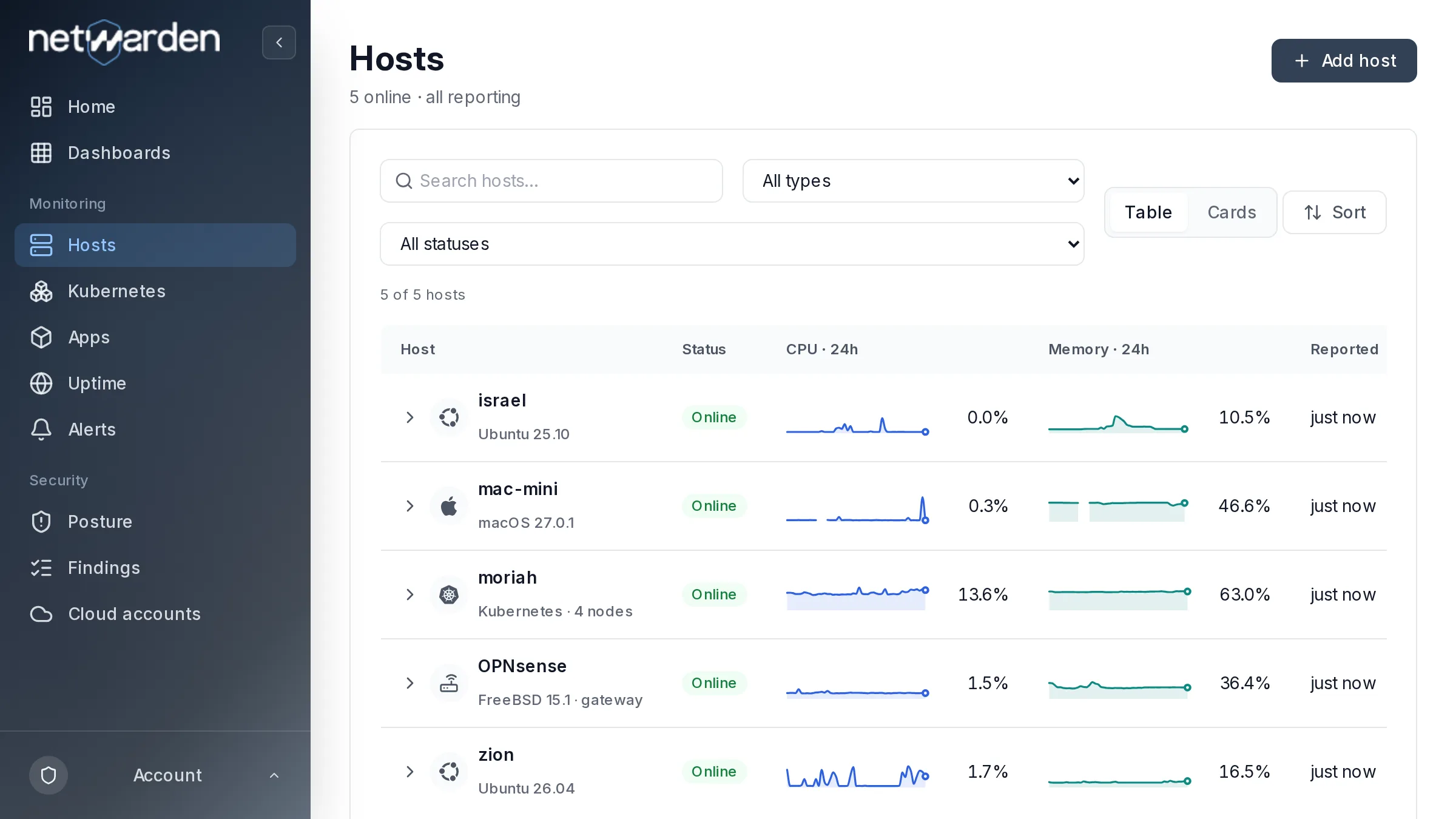
A host that stops reporting is the first thing worth knowing. The list shows every machine’s state at a glance; an alert tells you when you are not looking.
The same agent notices a new listening port, a changed system file, SSH open to root or passwords and packages with a known fix. How the security checks work
An email and a password. No card and no sales call.
The app shows the command for your system with your key already in it. On Windows it is a signed installer that asks for two values.
The machine appears within a minute of the agent starting. Its security checks start on their own; alerts take a few clicks.
$ curl -fsSL https://get.netwarden.com/install.sh | sudo bash -s -- --tenant-id <your tenant id> --api-key <your api key>Debian, Ubuntu, RHEL, Rocky, AlmaLinux, Fedora and Amazon Linux, on x86_64 and ARM64. It installs the signed package and adds the Netwarden repository, so updates arrive with apt or dnf.
Per plan, not per metric or per event. Change or cancel whenever you like.
Perfect for getting started with basic monitoring
$0forever
No card needed
Start freeGreat for individual developers and small projects
$9.90a month
or $99 a year (save 17%)
Choose SoloPowerful monitoring for teams and production environments
$29.90a month
or $299 a year (save 17%)
Choose ProIt takes about two minutes, and it is free for one machine. If anything gets in the way, write to us and a person who builds Netwarden answers.